
🌱 Founder pricing has 2 spots left — ¥5,000/月 for schools with up to 200 active students. See plans ↓
For independent eikaiwa schools

Turn every lesson into a clear parent update.

Teachers record lesson content, homework, and absences once. Families see a clear bilingual update through their private link or LINE — without installing another app.

No app install for parents
English & Japanese
LINE integration
Private student links
PeraPera Memo for Teachers - Homework and lesson tracking for English teachers & students | Product Hunt
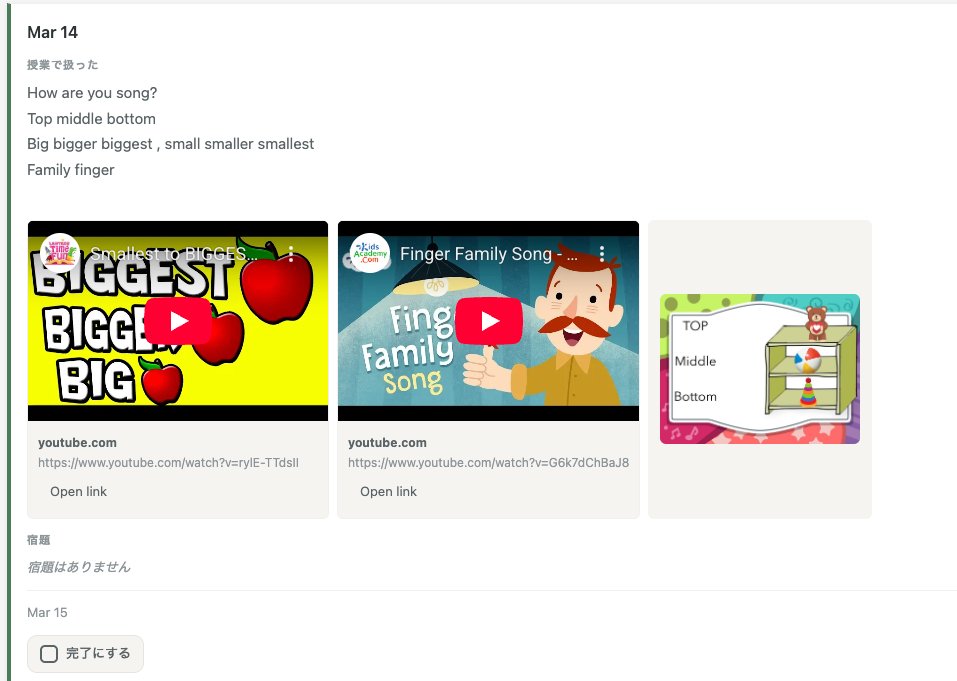
Parent-facing lesson feed
Tap to enlarge
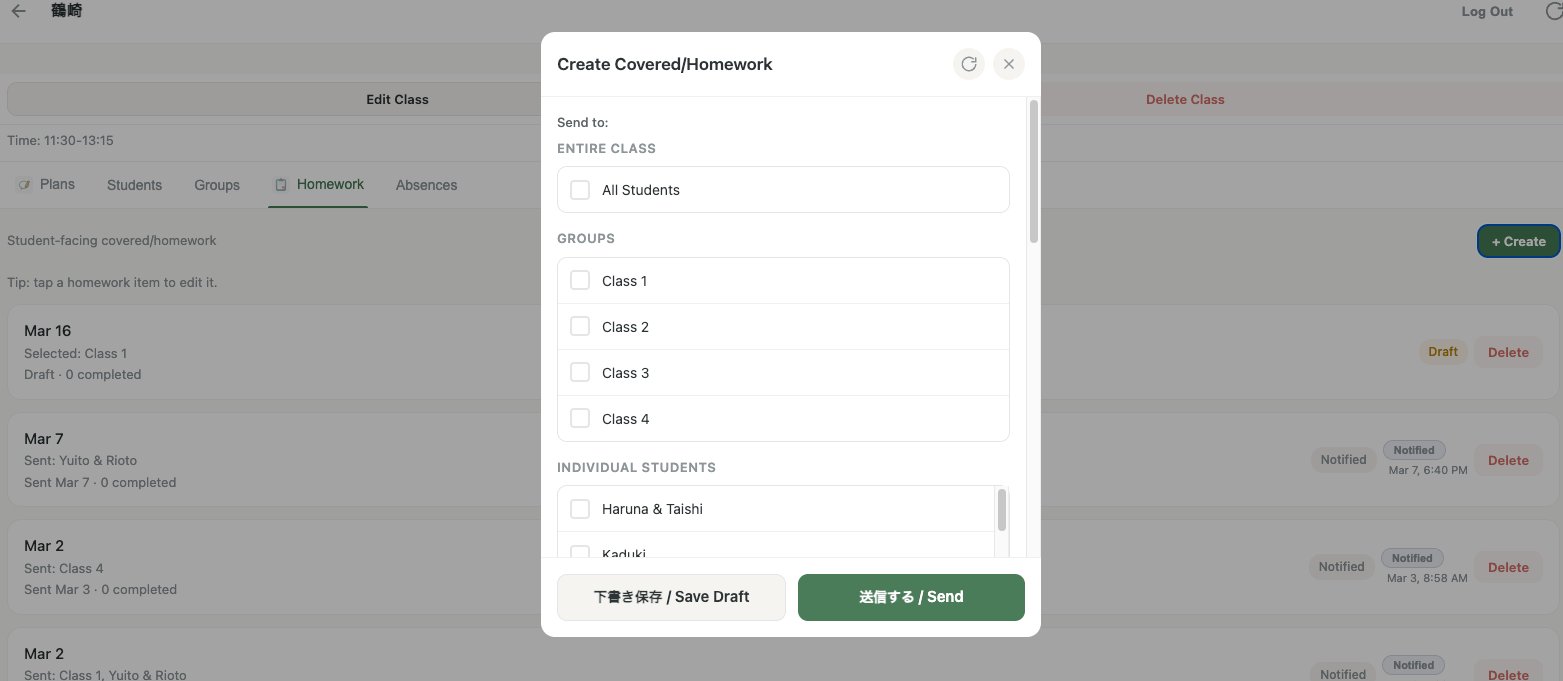
Teacher homework creation screen
Tap to enlarge
0
Parent apps to install
EN / JP
Bilingual communication
200
Active students included
¥5,000
Founder monthly rate

Up and running quickly

No training sessions, no IT setup. Teachers learn the full workflow fast.

1

Set up your school

Add your classes, groups, and student list once. Setup is straightforward and repeatable.

2

Log after each lesson

Record covered material, assign homework, mark absences. Short, repeatable entries after each lesson.

3

Parents get a clean update

Each student has a private unique link. Parents open it — no login, no app — and see exactly what was covered and what's due.

More than a homework board

Posting homework is easy. Making sure the right families see it, teachers can reuse it, students can review it, and the school can manage it across classes is the hard part.

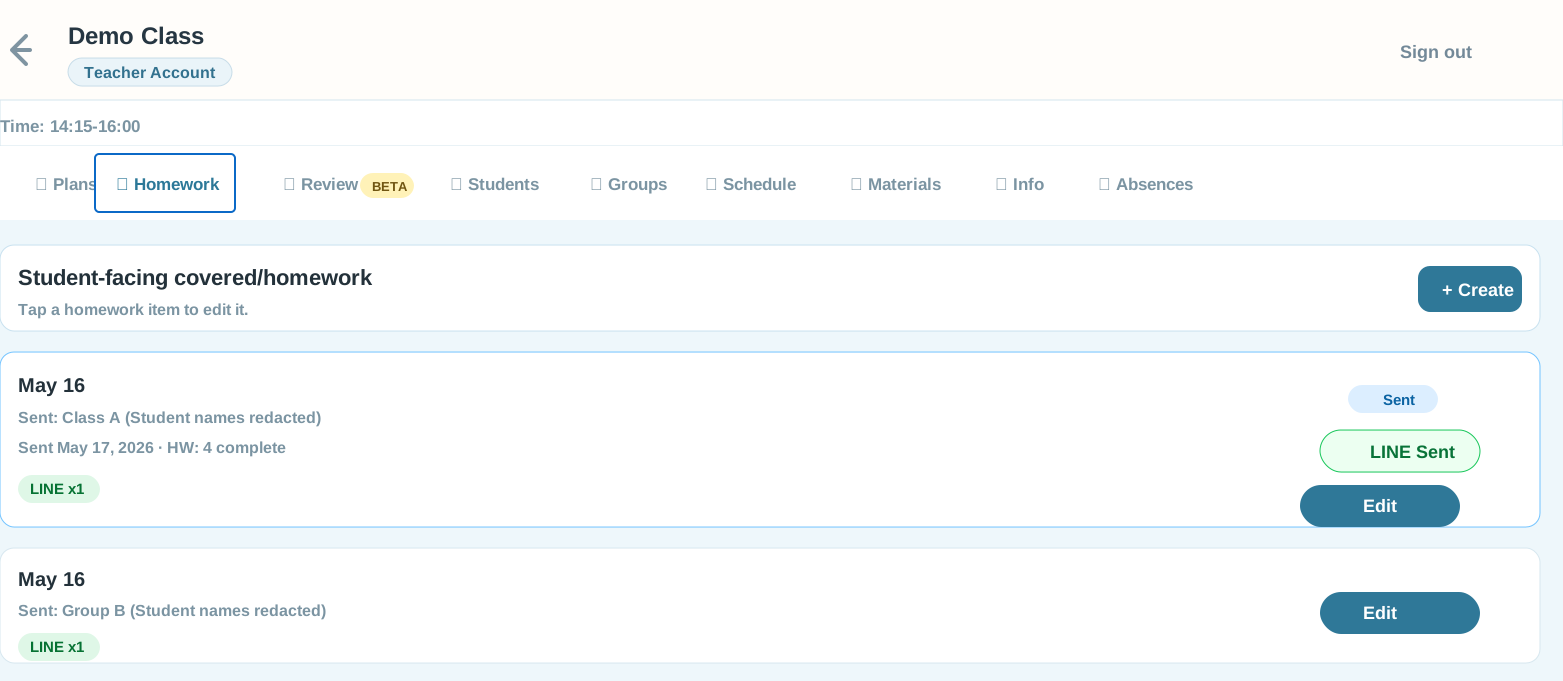
Class-ready posting Send by class, group, or individual student with a parent-facing feed.
LINE delivery Push updates to families where they already check messages.
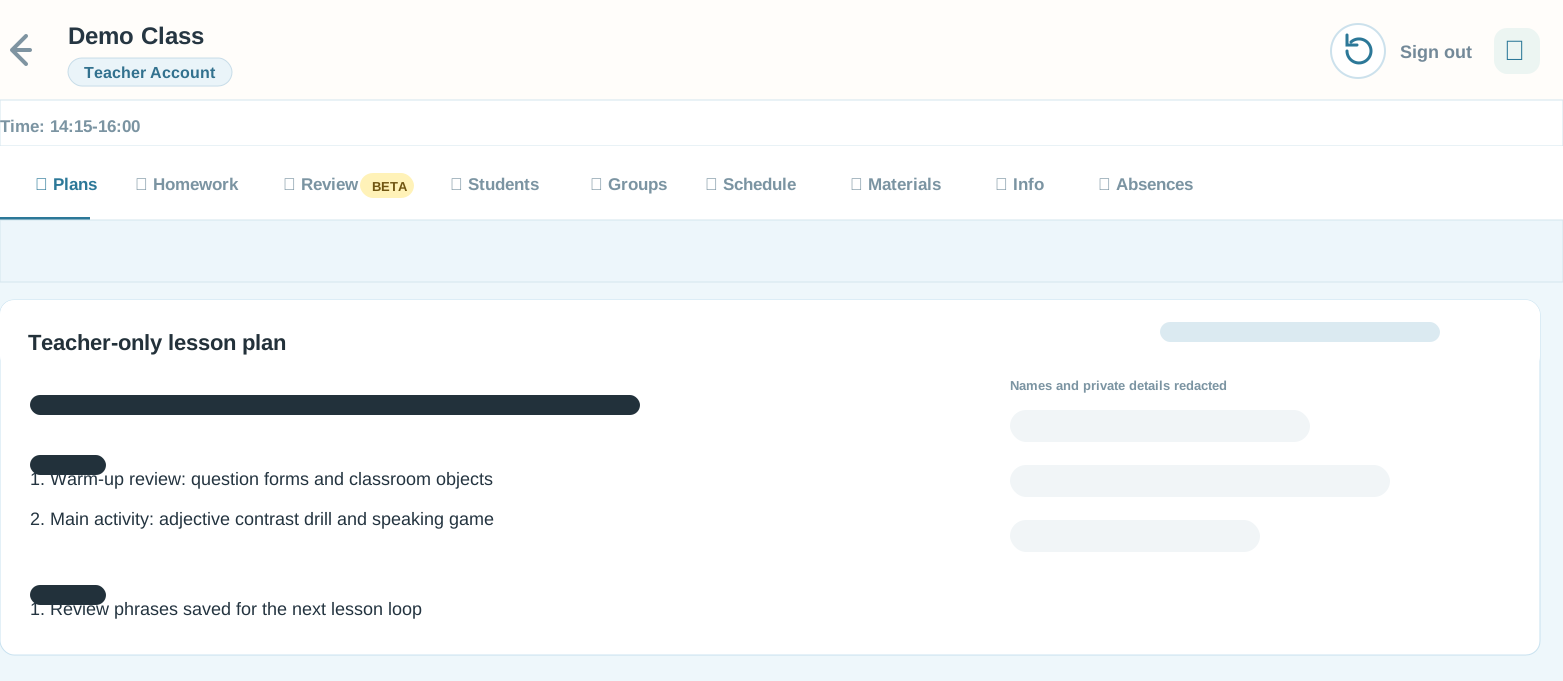
Teacher continuity Keep plans, review loops, materials, and schedules tied to the class.
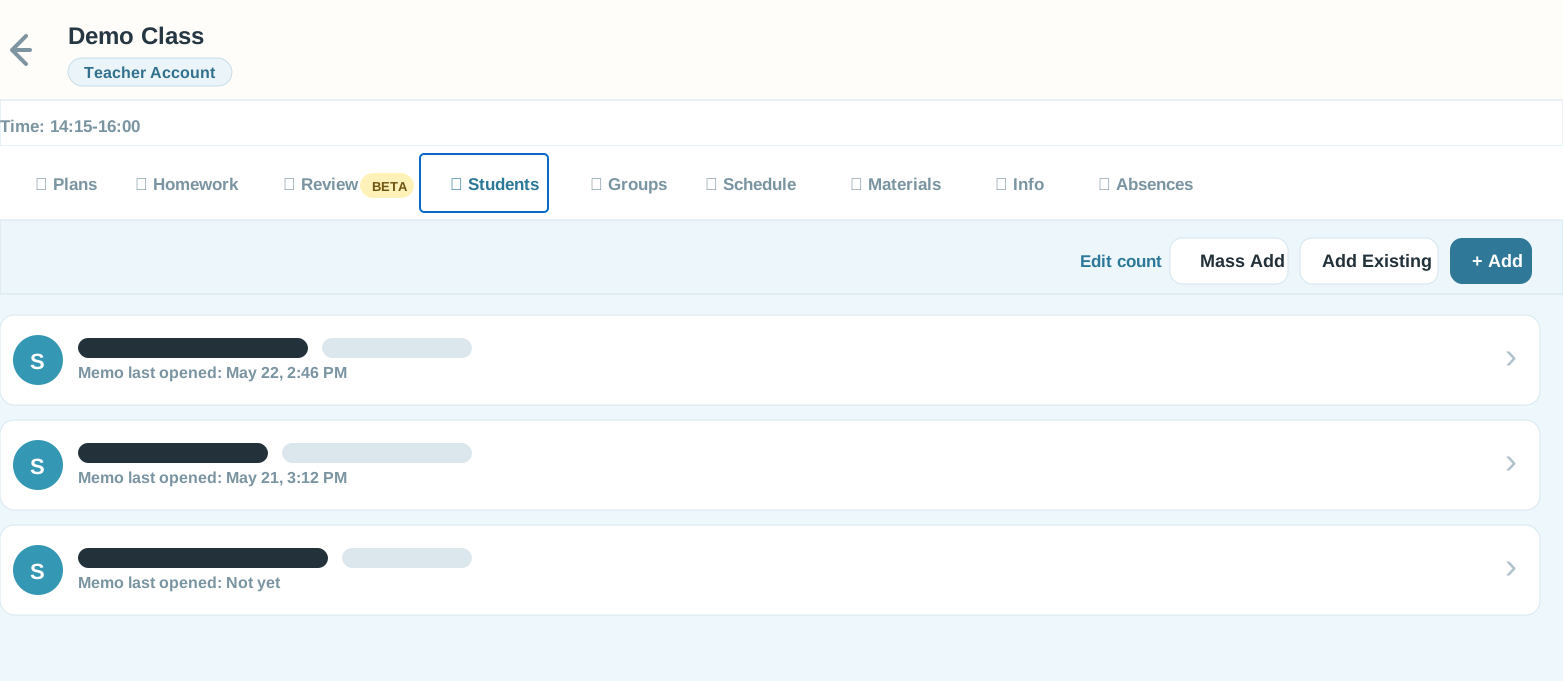
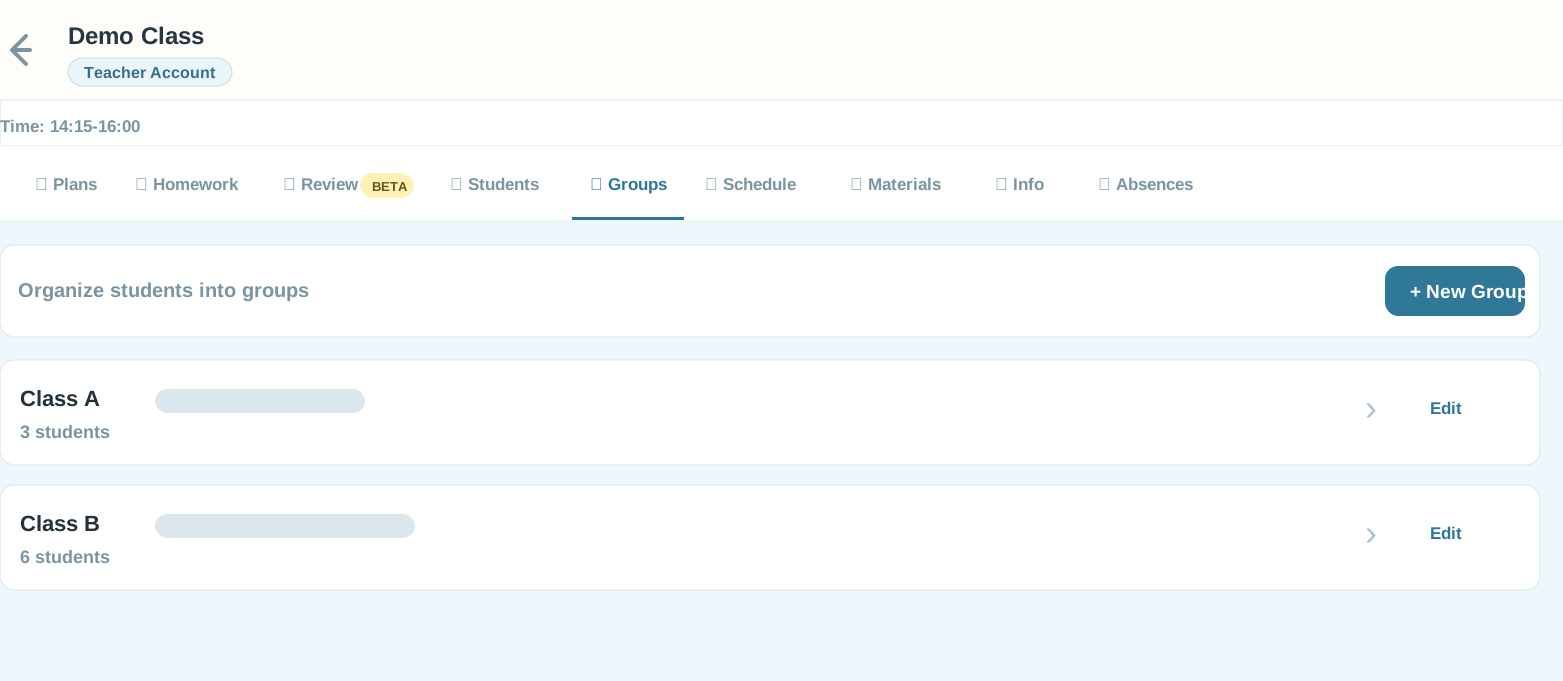
School operations Track students, groups, absences, staff access, and exports in one place.

Screenshots are anonymized for public sharing.

Plan faster, then let students practice.

Two teacher-side AI assist workflows help turn lesson notes and topics into usable materials. Play Mode turns the final practice into quiz, memory, speaking, and flashcard games students can open from home.

AI Assist mode 1

Homework AI Tools

Draft next steps, review sheets, or free-form student text from rough notes. You choose what to insert before anything is posted.

  • Suggest Next uses recent homework and review timing.
  • Review Sheet formats phrases, practice, and tasks.
  • Free Write handles translation, rewriting, or quick examples.
AI Assist mode 2

Play Mode item builder

Give the app a topic or source material, review the suggested words and sentences, then add images and save a reusable game.

  • AI suggests item lists for the teacher to edit.
  • Image search helps build picture-based practice.
  • Manual entry remains available when you want full control.
Play Mode

Teacher-selected practice becomes games.

Assign a game directly to a class or group, or attach it to homework. Students can review with Quiz, Memory Match, Speak, and Flashcards from their private link.

  • Works from homework or direct class/group assignment.
  • Supports picture, text, audio, and speaking practice.
  • Activity can feed back into teacher analytics.
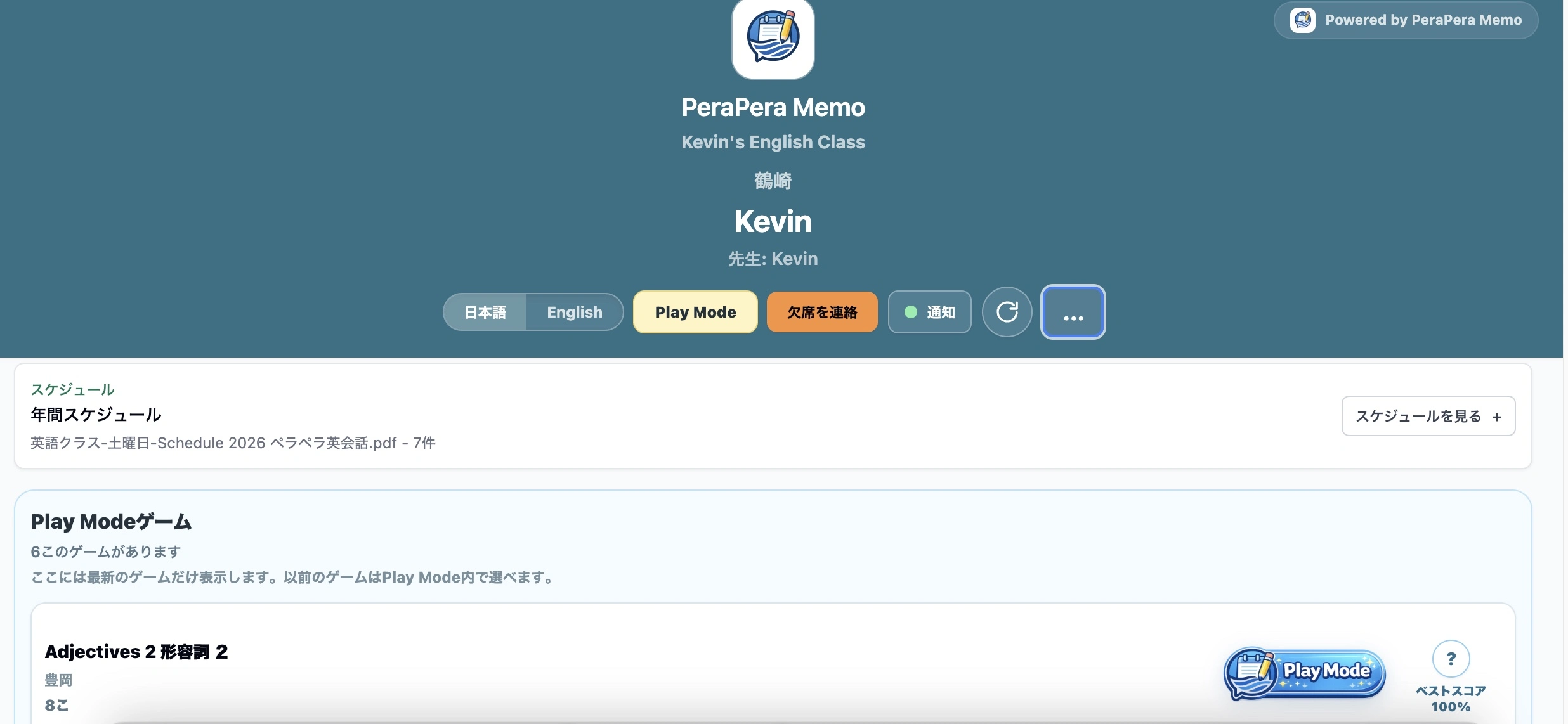
PeraPera Memo student Play Mode game list
Students open teacher-assigned Play Mode games from their private link.Tap to enlarge
PeraPera Memo Play Mode quiz screen
Quiz turns words and pictures into quick choice practice.Tap to enlarge
PeraPera Memo Play Mode speaking screen
Speaking practice lets students listen, repeat, and record.Tap to enlarge
PeraPera Memo Play Mode flashcards screen
Flashcards support picture, phrase, and audio review.Tap to enlarge
PeraPera Memo Play Mode memory match screen
Memory Match adds a fast picture-pair review game.Tap to enlarge

Built for real eikaiwa classrooms

Every feature is designed around the actual flow of a lesson week, so communication stays consistent even on your busiest days.

📋

Lesson recap timeline

A single rolling stream of covered material, homework, and notes — organized per student group, always up to date.

Homework tracking

Set assignments with due dates and mark completion. Parents and students always know exactly what to focus on next.

🗓️

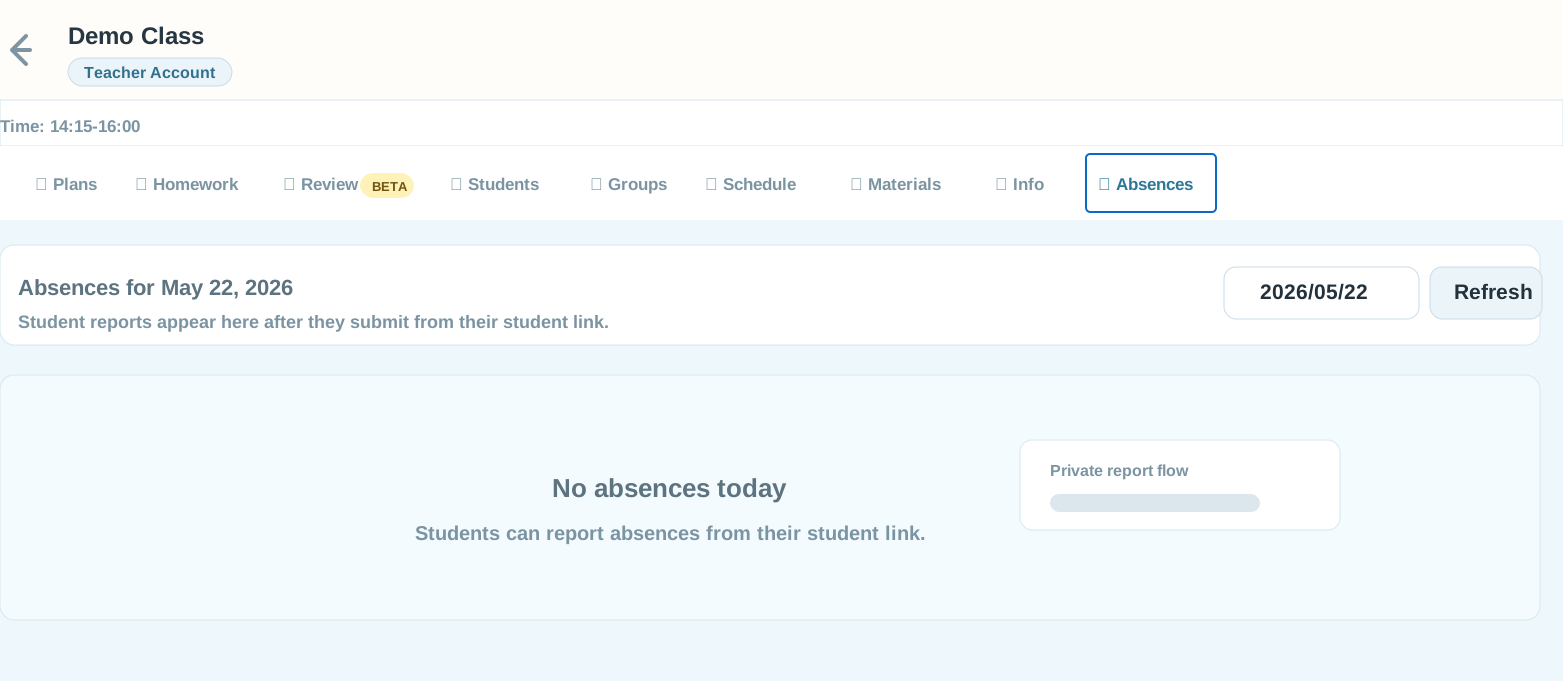
Absence notes

Log and share absence updates automatically. Families see what was missed without you sending a separate message.

📎

Rich attachments

Attach audio clips, images, PDFs, or links to reinforce pronunciation, review drills, and supplementary material.

🗓️

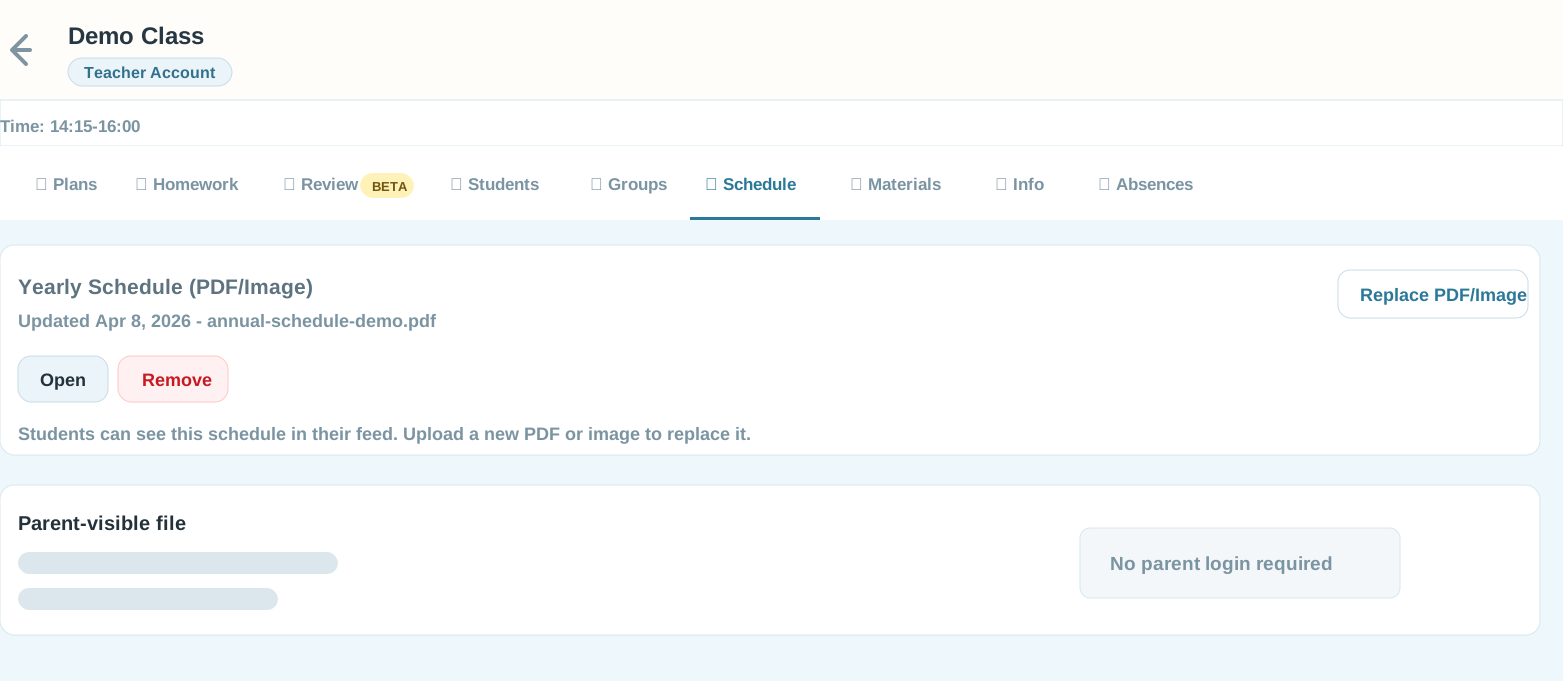
Yearly schedule

Upload a PDF or image schedule once and keep the full year visible for parents and students.

🔔

LINE notifications

Optional LINE Messaging API integration pushes homework reminders directly to parents where they already spend their time.

🔒

No parent login needed

Each student gets a private, shareable link. Parents bookmark it once — no passwords, no accounts, no friction.

Simple founder pricing, with room to grow

For the next 2 schools, the main offer is Founder pricing. If your school has more than 200 active students, extra staff seats, heavy LINE use, or custom workflow needs, contact Kevin for a custom quote.

Founder
Founder
¥5,000/月
Normally ¥10,000/月 after Founder spots close
Limited founder offer · up to 200 active students · 5 teacher/admin accounts
  • AI Tools, Play Mode, and all core features included
  • Founder rate locked while subscribed
  • Help shape the product roadmap
  • LINE notification integration
  • Priority support
Only 2 Founder spots left.
Claim founder spot
Custom
Custom
Contact Kevin
for a quote
For more than 200 active students, extra staff seats, heavy LINE volume, or custom workflows
  • One school account sized to your enrollment
  • Higher LINE, AI, staff, or storage limits
  • Optional school-owned LINE setup
  • Workflow built around your school
  • Dedicated support & maintenance
If you have more than 200 active students, contact me and I will recommend the right setup.
Contact Kevin

Frequently asked questions

Quick answers to what eikaiwa owners typically ask before getting started.

Book a short meeting with Kevin. He'll walk you through the platform, answer your questions, and help you decide which plan fits your school.
Yes. Founder pricing is public while 2 spots remain. It is ¥5,000/月 for eligible schools up to 200 active students, and the rate stays locked while you remain subscribed.
Yes. Founder includes up to 5 teacher/admin accounts. Each teacher logs in separately and manages their own classes, while the school owner has an overview of everything.
You do not need multiple school accounts. Founder covers up to 200 active students. If your school has more than 200 active students, more teacher accounts, heavy LINE usage, heavy attachment/storage use, or custom workflow needs, contact Kevin for one custom plan.
The Custom plan is for schools that need more than 200 active students, additional staff accounts, higher LINE, AI, or storage limits, or a workflow tailored to their operation. Kevin will recommend one school-wide setup and provide a clear quote.
No. Each student has a private unique link. Parents bookmark it on their phone's home screen — it works like an app, but requires no installation. There are no passwords to remember and no accounts to manage.
Kevin — founder of PeraPera Memo
Kevin Founder, PeraPera Memo
"Good teaching doesn't stop at the classroom door."

I built PeraPera Memo because I kept watching the same pattern: a great lesson on Tuesday, then nothing until the following week. Parents didn't know what to review. Students forgot. Progress stalled.

The tool I wanted was simple — a fast way to tell parents what we covered, what to practice, and what's due. Something that made the week between lessons feel like part of the lesson. So I built it.

Message Kevin directly

Ready to simplify your parent communication?

Tell me about your school — number of students, teachers, and how you currently send updates. I'll recommend the best fit and answer any questions directly.

LINE QR code for PeraPera Memo

Scan to add on LINE