
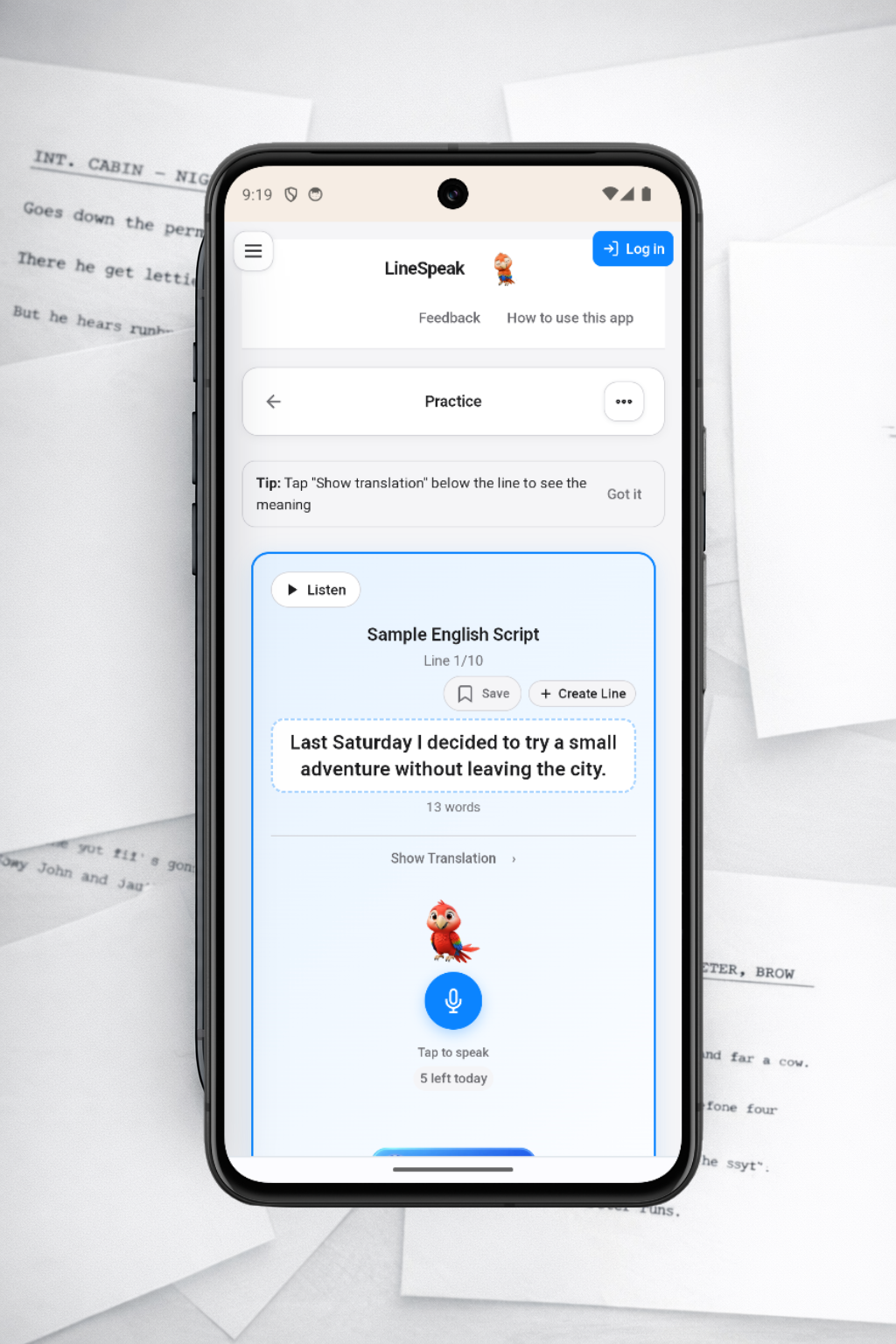
If you're searching for a language learning app that actually builds speaking fluency, LineSpeak was built for you. Instead of endless flashcards or passive listening, LineSpeak focuses on the most important skill: speaking clearly and accurately, line by line, with instant feedback.
This guide breaks down every major LineSpeak feature and how it helps you practice pronunciation, build vocabulary, and stay consistent. If you're comparing speaking apps or want a full feature overview before you start, you're in the right place.
At a glance: LineSpeak lets you add scripts in seconds, practice with speech feedback, save your best lines, build vocab sessions on demand, and track progress with streaks, XP, and daily goals.
1. Add Scripts in Seconds
Everything in LineSpeak starts with a script. Tap Add a Script and paste text or upload files in .txt, .srt, or .vtt format. Each line becomes a practice item, which means you can turn YouTube transcripts, podcasts, interviews, or your own notes into instant practice material.
- Paste text directly from any source
- Upload subtitle files in seconds
- Practice exactly what you want to say in real life
2. Line-by-Line Speaking Practice (Read Aloud)
LineSpeak’s core loop is simple and powerful: listen, speak, compare, improve. For each line you practice, you can:
- Tap Listen to hear the target line
- Tap the microphone to record your voice
- Get instant scoring and word-by-word feedback
- Advance only when you pass the accuracy threshold
The result is targeted pronunciation training with measurable progress. For spaced languages (English, Spanish, etc.), LineSpeak compares words. For CJK languages (Japanese, Chinese, Korean), it compares characters for a more accurate evaluation.
Pass Threshold Control
Set the accuracy bar yourself with the Pass Threshold slider (50–100%). Lower thresholds help beginners build momentum. Higher thresholds push advanced learners toward precision and clear articulation.
3. Auto-Record for Hands-Free Flow
Turn on Auto-Record and LineSpeak automatically advances to the next line and starts recording after you pass the current one. It’s ideal for immersion practice, shadowing-style repetition, and fully hands-free speaking sessions.
4. Focus Mode and Comprehension-First Mode
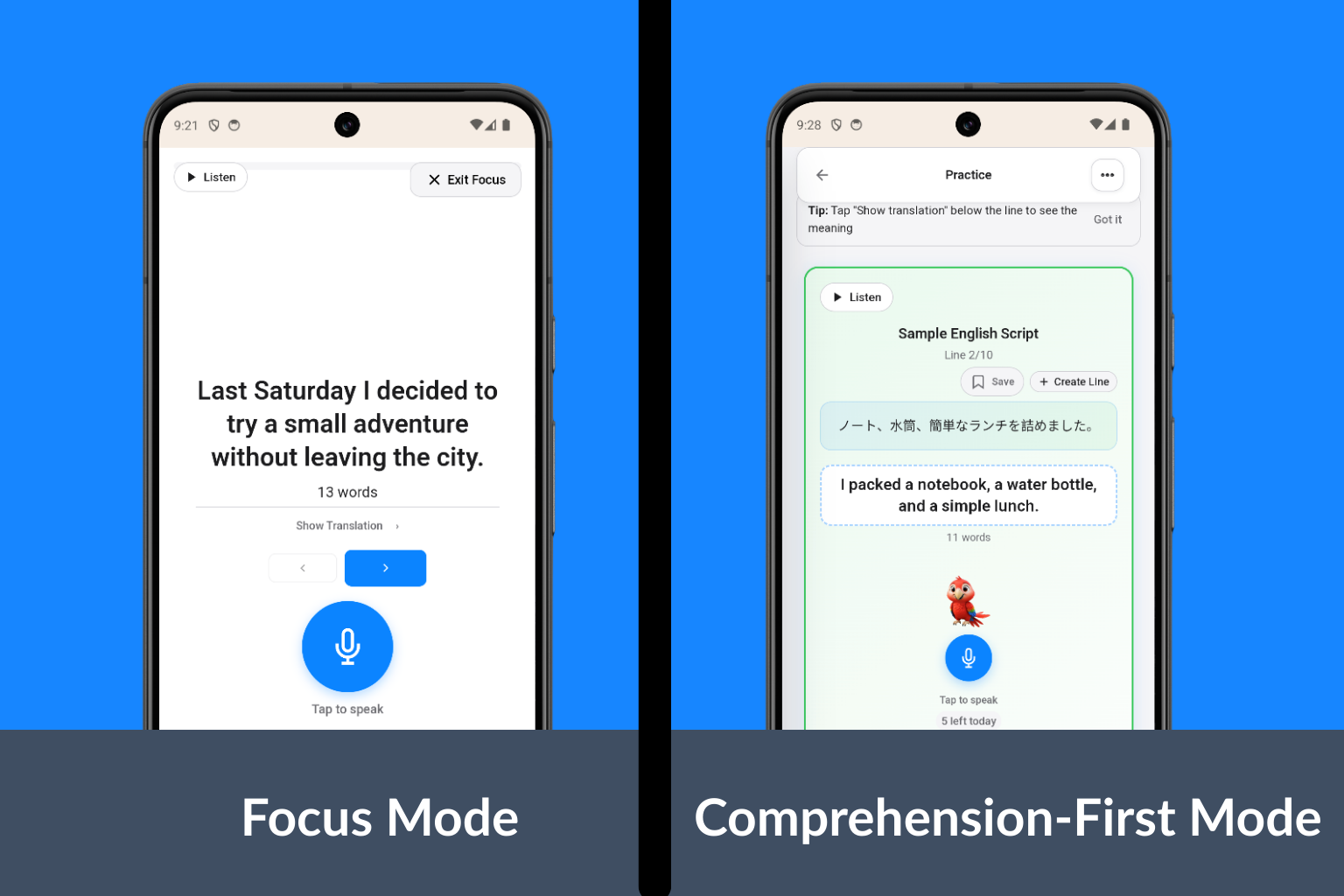
Serious practice needs a clean screen. Focus Mode removes distractions by hiding the header and sidebar while enlarging text, giving you a full-screen practice view.
Need meaning before pronunciation? Comprehension-First Mode shows the translation above the target line. You can set it to auto-hide after 3, 5, or 8 seconds, or tap to reveal it again.
5. My Lines: Save, Organize, and Repeat
Not every line needs to disappear after one pass. Use My Lines to save specific sentences for ongoing practice. Each saved line tracks:
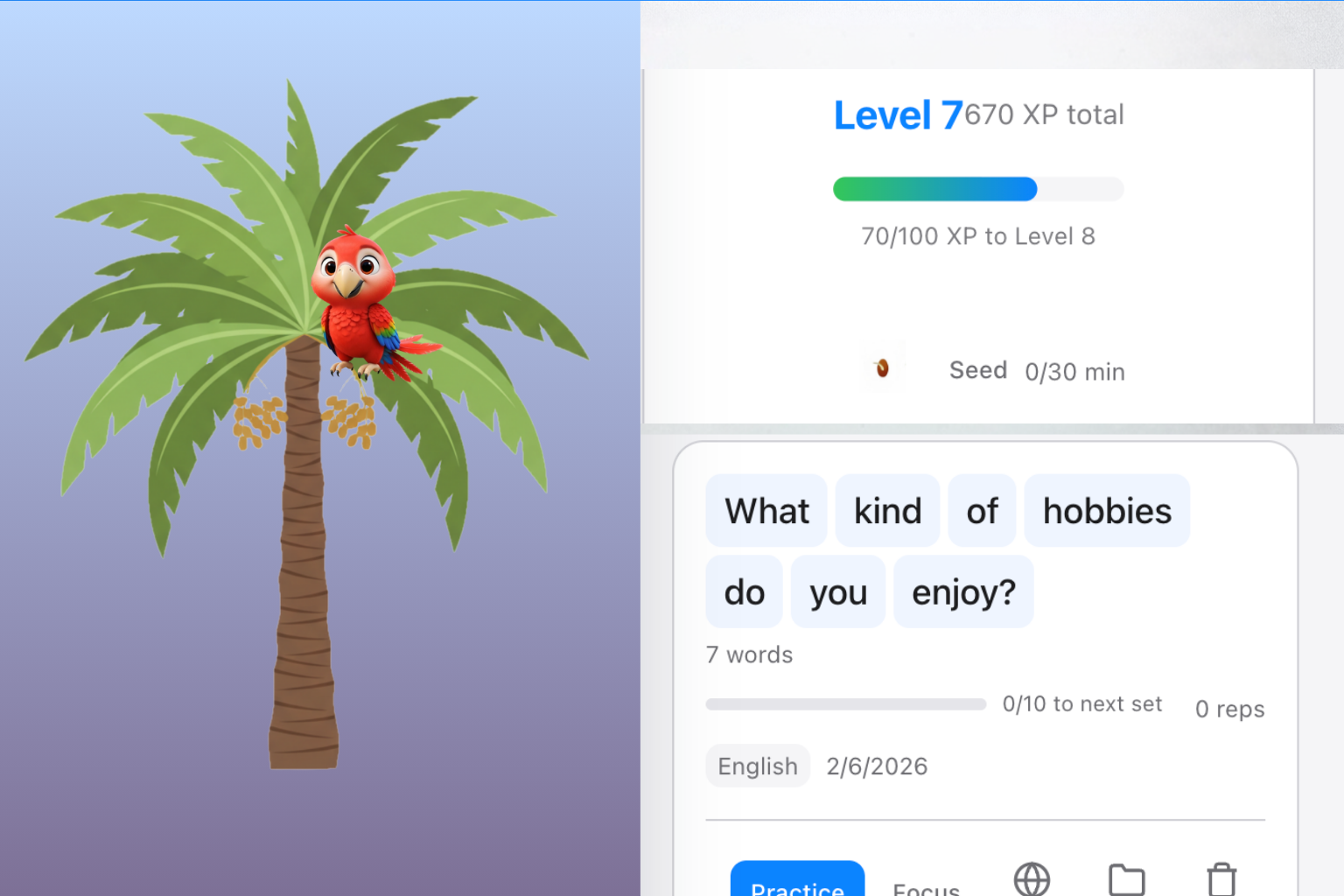
- Reps: every successful attempt counts as 1
- Sets: every 10 reps = 1 set
- Folders: drag-and-drop organization
- Notes: add pronunciation or nuance reminders
6. Create Your Own Lines
During practice, tap Create Line to write or modify content on the spot. These custom lines are saved directly to My Lines, making it easy to focus on phrases you actually want to say in real conversations.
7. Reading Assist and Vocab Burst
When Reading Assist is enabled, every word becomes clickable. Tap to see a translation instantly, then launch a Vocab Burst session for that word.
Vocab Burst Mode builds a focused mini-session around a single word. Choose a CEFR or JLPT level, and LineSpeak generates a custom story or sentence set using that word in context, so you can practice meaning and pronunciation together.
8. Record & Share (Video)
After a successful line, you can create a short Record & Share video that includes your score and the LineSpeak parrot animation. Videos are created on your device and can be saved or shared instantly.
- Available from both Practice and My Lines
- Requires a free account so usage can be tracked fairly
- Great for proof of progress or sharing milestones
9. Voices and Audio Quality
Free accounts use the basic voice. Pro unlocks voice selection so you can practice with richer, more natural voices that match your learning goals.
10. Progress Systems That Keep You Consistent
LineSpeak doesn’t just track practice—it rewards it with visual progress systems designed to build long-term habit strength.
Daily Tree System
Practice for 30 minutes to grow your tree from Seed → Sprout → Sapling → Tree. Check the Progress tab to see your forest expand over time.
XP & Leveling
Earn XP for every line, set, and script. Every 100 XP = 1 level, plus bonuses for streaks and script completion.
11. Accounts, Sync, and Daily Limits
Create a free account to sync scripts and progress across devices. Pro adds more cloud storage and higher export limits.
LineSpeak also uses daily limits to keep usage fair:
- Anonymous Free: 5 transcriptions/day (20s max each) and 10 TTS plays/day (or 2,000 characters)
- Free with Account: 10 transcriptions/day (30s max each, ~5 minutes total) and 30 TTS plays/day (or 8,000 characters), plus limited Record & Share exports
- Pro: Unlimited practice (fair use) with higher internal caps
12. Privacy and Private Mode
Your recordings are only used for transcription and are never stored. If you enable Private Mode, your scripts are encrypted with your passphrase so LineSpeak cannot read them.
Who LineSpeak Is For
LineSpeak is ideal for learners who want measurable speaking improvement, especially if you’re preparing for real conversations, presentations, interviews, or exams. It also works well for:
- Self-learners who need speaking accountability
- Busy learners who want short, repeatable practice sessions
- Teachers who want a speaking-focused homework tool
- Learners of CJK languages who need character-level feedback
Summary: Why These Features Matter
Most language apps focus on recognition. LineSpeak focuses on production. By combining line-by-line speaking, feedback you can act on, and habit-building progress systems, it turns passive knowledge into real-world speaking ability.
If your goal is fluency, pronunciation accuracy, or simply sounding more confident in your target language, LineSpeak gives you a structured path to get there.