

The problem was not a lack of classroom activities. Language teachers already know dozens of them. The problem was that every activity seemed to ask for its own version of the same material.
I might already have the vocabulary, questions, pictures, or speaking prompts for a lesson. Then I would want to change the classroom rhythm: review the words, check listening, reveal a picture, run a team game, or print cards for an offline activity. Too often, changing the activity meant copying, reformatting, or rebuilding content I had already prepared.
That repeated work was the reason I decided to make PeraPera Play, a teacher-led classroom game platform. I wanted the content to belong to the lesson—not to one particular game.
“Keep the content. Change the activity.”
That became the central design rule behind PeraPera Play.
The Waste Was Hiding Between Activities
Preparing useful language material takes judgment. A teacher chooses the right words, checks the examples, decides how much support students need, and adjusts the difficulty for a particular class. That is the valuable part of preparation.
Copying those words from a document into a slideshow, then into a matching game, then into printable cards is not the valuable part. It is format work. It can be necessary, but it should not have to be repeated every time the teacher wants a different kind of practice.
I wanted to separate those two things. The teacher should own the content and the teaching decision. The software should handle more of the repetitive movement between formats.
The Play Set Came First
The foundation of PeraPera Play is not a game. It is a reusable Play Set: a collection of lesson items that can hold words, expressions, questions, pictures, support text, definitions, situations, example sentences, tags, difficulty information, and audio settings.
A teacher can create a personal set or browse public sets in the Collective. Sets can be kept private, shared with an unlisted link, or made public. The important point is that the set survives after one round ends.
This changes what “preparing a game” means. Instead of rebuilding the lesson for a new template, the teacher keeps the reviewed material and chooses the activity that fits the next classroom job.
Different Games Should Demand Different Thinking
Variety is not useful simply because the screen looks different. A new activity should change what students do with the language.
Introduce and support
Use Flashcards or Showboard when students need to see the language, hear it, and connect it with pictures or support text.
Recognize and retrieve
Use Quiz, Touch/Catch, Memory Match, or Picture Reveal when students need to identify, remember, or predict an item.
Produce language aloud
Use Charades, questions, or teacher-led prompts when students should say the word, answer in a sentence, explain, or guess.
Add a team-game frame
Use Prize Boxes or Sea Battle when a class benefits from turns, team decisions, and a visible reason to answer before the game action continues.
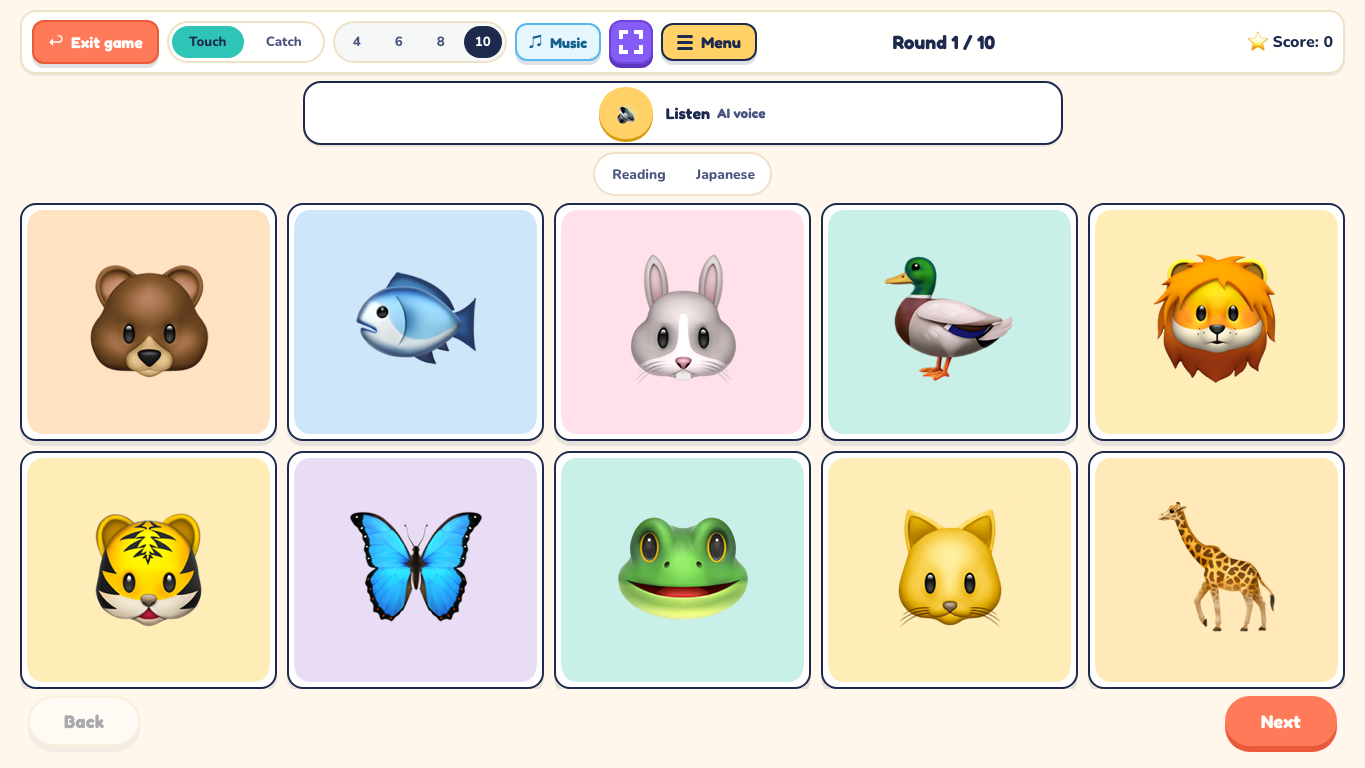
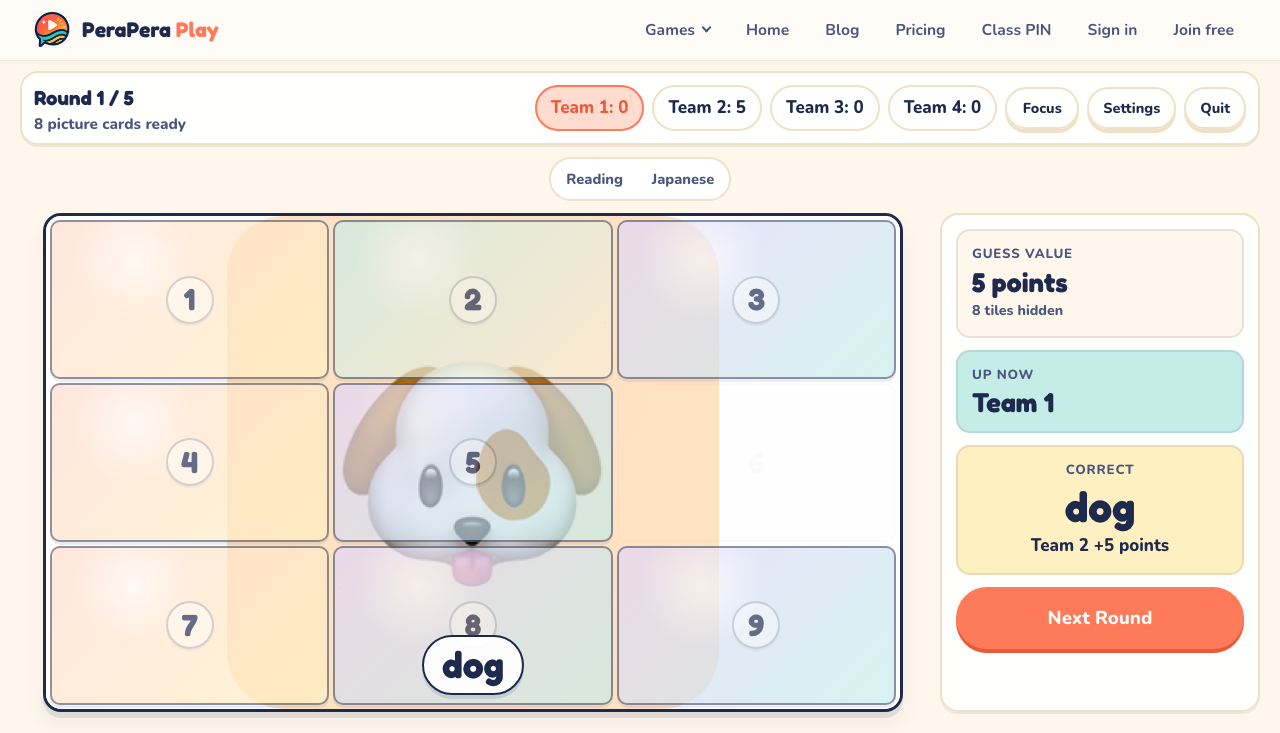
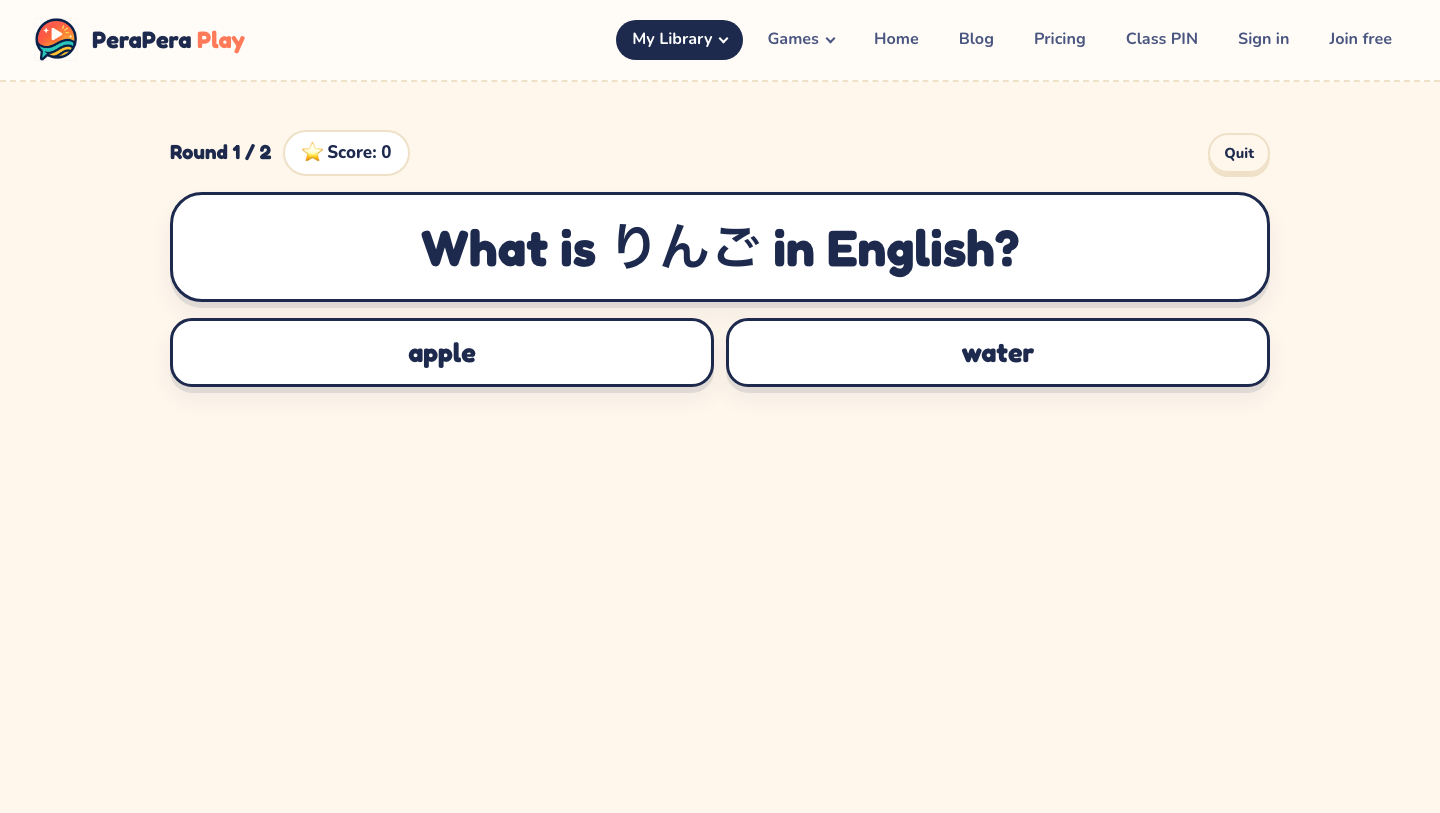
The same content can therefore move from supported recognition toward recall and speaking. The teacher decides the language students must produce before a point, reveal, match, or shot counts.
That is also why I do not claim that every Play Set works with every game. Compatibility depends on what the set contains and what an activity needs. A picture-listening game needs different fields from a question game. The goal is reusable content, not pretending that every format is interchangeable.
The Teacher Should Still Lead
PeraPera Play is built around a teacher-led, shared-screen classroom. Students do not need individual accounts for the core flow. The teacher chooses the set, controls the pace, explains the rules, decides what counts as a good answer, and adapts the activity in the room.
This was a deliberate choice. Classroom games are rarely just software events. A teacher reads the room, slows down, adds a follow-up question, gives a team another chance, or changes the support when students need it. I wanted the app to make those decisions easier to carry out without trying to replace them.
The shared-screen model also keeps setup simple for a quick whole-class round. There is no need to turn every activity into thirty separate logins or thirty separate device problems.
Getting Existing Material In Should Be Flexible
Teachers do not all start from the same place. Sometimes the lesson material is a short list. Sometimes it is already in a document, image, or set of notes. Sometimes the teacher wants help drafting examples or finding suitable images.
PeraPera Play therefore supports manual entry alongside AI assistance, document or image extraction, image search, and generated text-to-speech, subject to the current account and usage limits. These tools are there to create an editable starting point. The teacher still needs to review the language, remove unsuitable items, and decide whether the set fits the class.
My rule for AI-assisted lesson material: let the tool reduce typing, but do not outsource the teaching judgment.
A Play Set Should Work Beyond the Game Screen
Not every lesson moment needs a game. The same reviewed items can also be used in Showboard for teacher-led presentation and in printable flashcards for an offline activity. Compatible Play Sets can move between PeraPera Play and PeraPera Memo when the related between-lessons workflow fits.
This matters because a lesson is not one mode. A teacher might introduce material, practice it, play with it, and return to it later. The more of that sequence the content can survive, the less likely useful preparation is to become trapped in a single file or one-off activity.
What PeraPera Play Includes
As of August 2026, the game picker includes Flashcards, Quiz, Touch/Catch, Memory Match, Picture Reveal, Prize Boxes, Sea Battle, Charades, and Printable Flashcards. Showboard provides a presentation surface outside the game picker.
Teachers can build their own Play Sets, use public sets from the Collective, configure supported content and audio options, and run compatible activities from a shared screen. If you want practical examples before opening the app, the PeraPera Play teacher guides cover vocabulary review, speaking games, warm-ups, charades, printable flashcards, and individual game formats.
Who I Made It For
I made PeraPera Play for language teachers who already have lesson content but want more than one way to use it. That includes independent tutors, eikaiwa teachers, and shared-screen classroom teachers who need a quick change of rhythm without asking every student to create an account.
It is especially useful when the teaching goal changes faster than the content: introduce the words now, check listening next, ask students to recall them later, and finish with a speaking or team activity.
The product promise is “Play more. Prep less.” I do not mean that good lessons require no preparation. They do. I mean that a teacher should not have to repeat the same preparation simply because the classroom activity changes.
Try the Idea With Your Next Lesson List
Take one small set of vocabulary, questions, or pictures you already plan to teach. Decide how students should first recognize it, then how they should recall or use it aloud. You can run that sequence with paper or slides.
If you want the set to stay editable and move across compatible activities, open PeraPera Play and build a small Play Set from the material you already have.
TL;DR
I built PeraPera Play because language teachers should not have to rebuild the same lesson content every time they change activities. A reusable Play Set keeps the valuable part—the teacher-reviewed words, questions, pictures, prompts, support, and audio settings—separate from the format. The teacher can then choose a compatible game, Showboard, or printable cards to match the classroom goal. Keep the content. Change the activity.